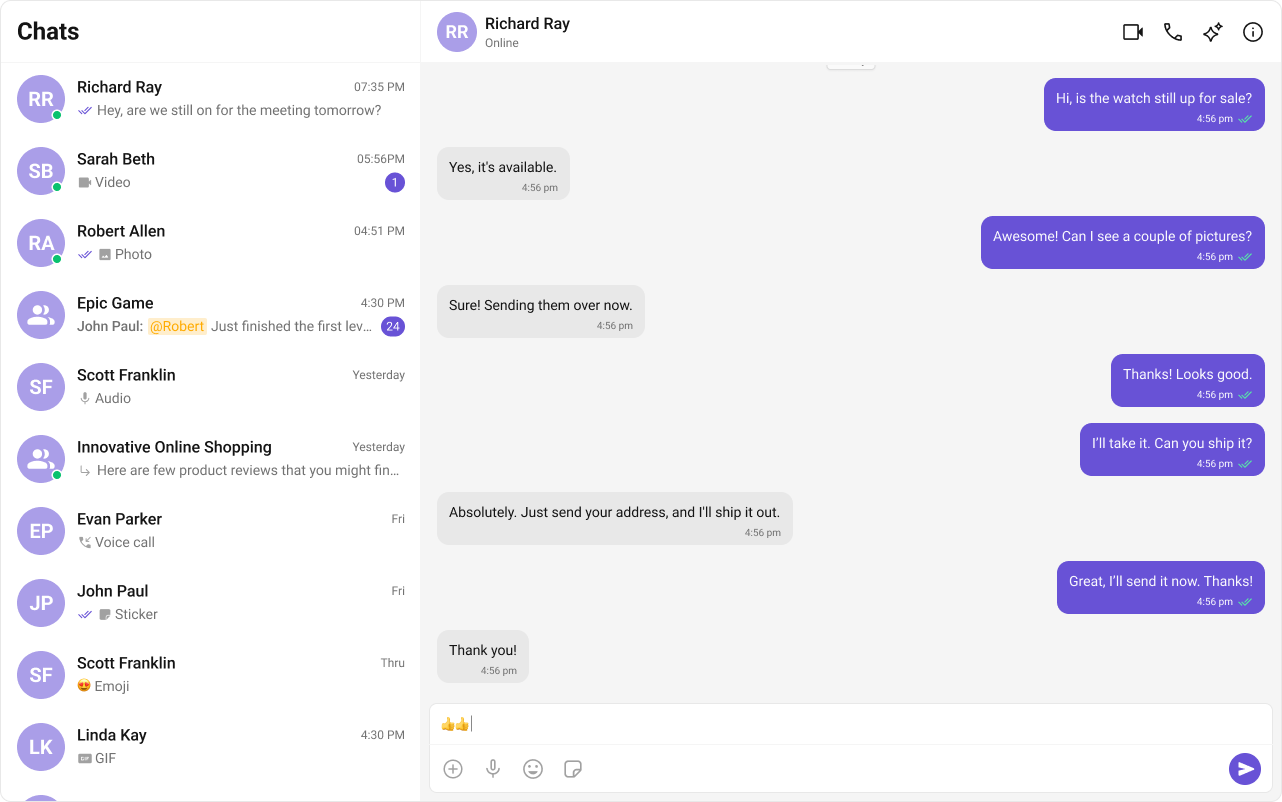
The Conversation List + Message View layout provides a familiar two‑panel experience, similar to WhatsApp Web or Slack. Users browse conversations on the left and chat in real time on the right.
If you already have the sample astro-conversation project, open it instead.
2
Add React and install CometChat UI Kit
Report incorrect code
Copy
Ask AI
npx astro add reactnpm i @cometchat/chat-uikit-react react react-dom
Add your CometChat credentials to .env at the project root:
Report incorrect code
Copy
Ask AI
PUBLIC_COMETCHAT_APP_ID=your_app_idPUBLIC_COMETCHAT_REGION=your_regionPUBLIC_COMETCHAT_AUTH_KEY=your_auth_key# Optional: default login UID for developmentPUBLIC_COMETCHAT_LOGIN_UID=cometchat-uid-3
Use Auth Tokens in production instead of Auth Keys.
3
Initialize CometChat (src/lib/cometchat-init.js)
Create src/lib/cometchat-init.js and initialize the UI Kit using environment variables.
src/lib/cometchat-init.js
Report incorrect code
Copy
Ask AI
import { CometChatUIKit, UIKitSettingsBuilder } from "@cometchat/chat-uikit-react";const APP_ID = import.meta.env.PUBLIC_COMETCHAT_APP_ID;const REGION = import.meta.env.PUBLIC_COMETCHAT_REGION;const AUTH_KEY = import.meta.env.PUBLIC_COMETCHAT_AUTH_KEY;export async function initCometChat() { if (!APP_ID || !REGION || !AUTH_KEY) { throw new Error("Missing PUBLIC_COMETCHAT_* env vars."); } const settings = new UIKitSettingsBuilder() .setAppId(APP_ID) .setRegion(REGION) .setAuthKey(AUTH_KEY) // use Auth Tokens in prod .subscribePresenceForAllUsers() .build(); await CometChatUIKit.init(settings);}export async function ensureLogin(uid) { const existing = await CometChatUIKit.getLoggedinUser(); // If a different user is logged in, logout first if (existing && existing.getUid() !== uid) { console.log(`Switching from user ${existing.getUid()} to ${uid}`); await CometChatUIKit.logout(); } // Login if no user is logged in or we just logged out const currentUser = await CometChatUIKit.getLoggedinUser(); if (!currentUser) { await CometChatUIKit.login(uid); console.log(`Logged in as user: ${uid}`); } else { console.log(`Already logged in as user: ${uid}`); }}export async function logout() { await CometChatUIKit.logout();}
4
Build the React island (src/components/ChatApp.jsx)
Create the island used by Astro to render the two‑panel chat. This component mirrors the sample in astro-conversation.
The CSS files globals.css and cometchat-layout.css are included in the sample. Ensure your layout CSS sets a two‑panel flex container and sizes the sidebar.
6
Run and verify
npm
pnpm
yarn
Report incorrect code
Copy
Ask AI
npm run dev
Report incorrect code
Copy
Ask AI
pnpm dev
Report incorrect code
Copy
Ask AI
yarn dev
Open your app and verify you can select conversations on the left and exchange messages on the right.