

AI Agent Component Spec
AI Agent Component Spec
- Package:
@cometchat/chat-uikit-react - Required setup:
CometChatUIKit.init(UIKitSettings)thenCometChatUIKit.login("UID")+ AI features enabled in CometChat Dashboard - AI features: Conversation Starter, Smart Replies, Conversation Summary
- Key components:
CometChatMessageList→ Message List (Conversation Starter),CometChatMessageComposer→ Message Composer (Smart Replies, Summary),CometChatAIAssistantChat→ AI Assistant Chat - Activation: Enable each AI feature from the CometChat Dashboard — UI Kit auto-integrates them, no additional code required
Overview
CometChat’s AI capabilities greatly enhance user interaction and engagement in your application. Let’s understand how the React UI Kit achieves these features.Smart Chat Features
Conversation Starter
When a user initiates a new chat, the UI kit displays a list of suggested opening lines that users can select, making it easier for them to start a conversation. These suggestions are powered by CometChat’s AI, which predicts contextually relevant conversation starters. For a comprehensive understanding and guide on implementing and using the Conversation Starter, refer to our specific guide on the Conversation Starter. Once you have successfully activated the Conversation Starter from your CometChat Dashboard, the feature will automatically be incorporated into the MessageList Component of UI Kits.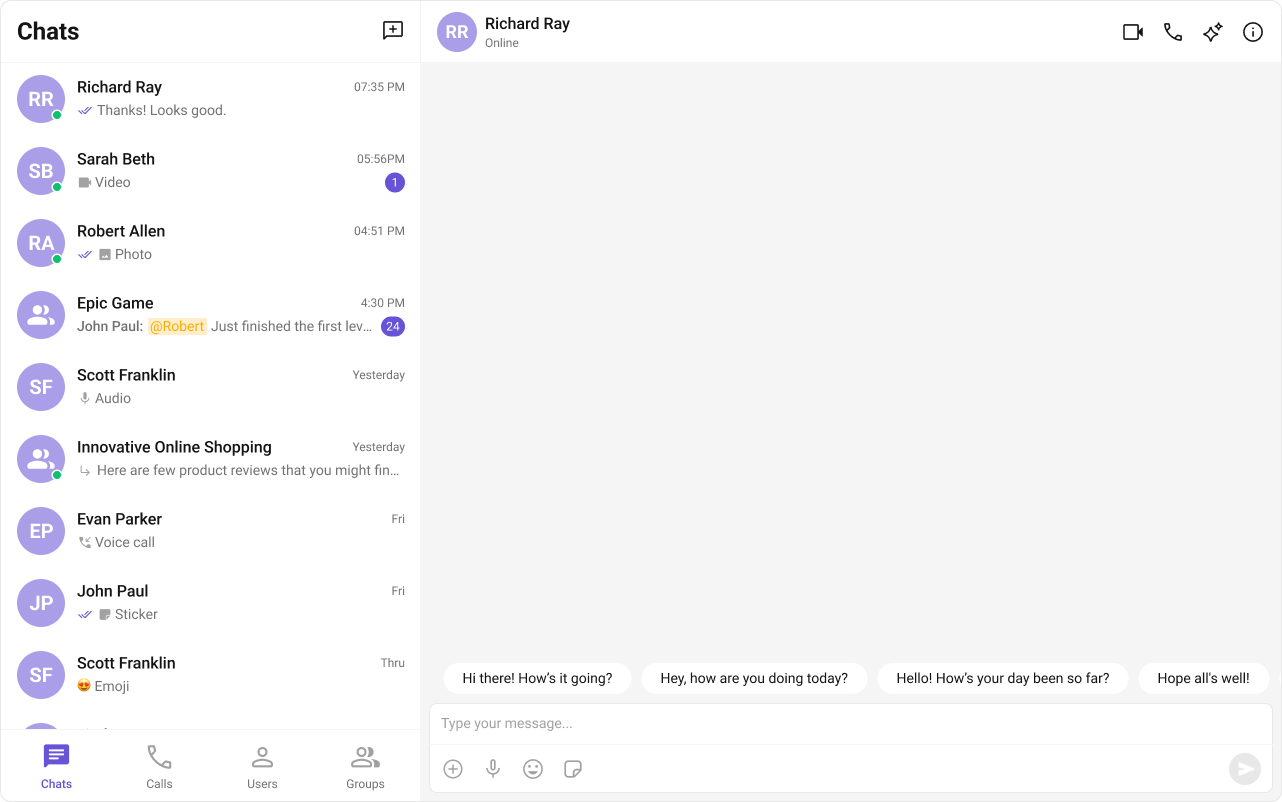
Smart Replies
Smart Replies are AI-generated responses to messages. They can predict what a user might want to say next by analyzing the context of the conversation. This allows for quicker and more convenient responses, especially on mobile devices. For a comprehensive understanding and guide on implementing and using the Smart Replies, refer to our specific guide on the Smart Replies. Once you have successfully activated the Smart Replies from your CometChat Dashboard, the feature will automatically be incorporated into the Action sheet of MessageComposer Component of UI Kits.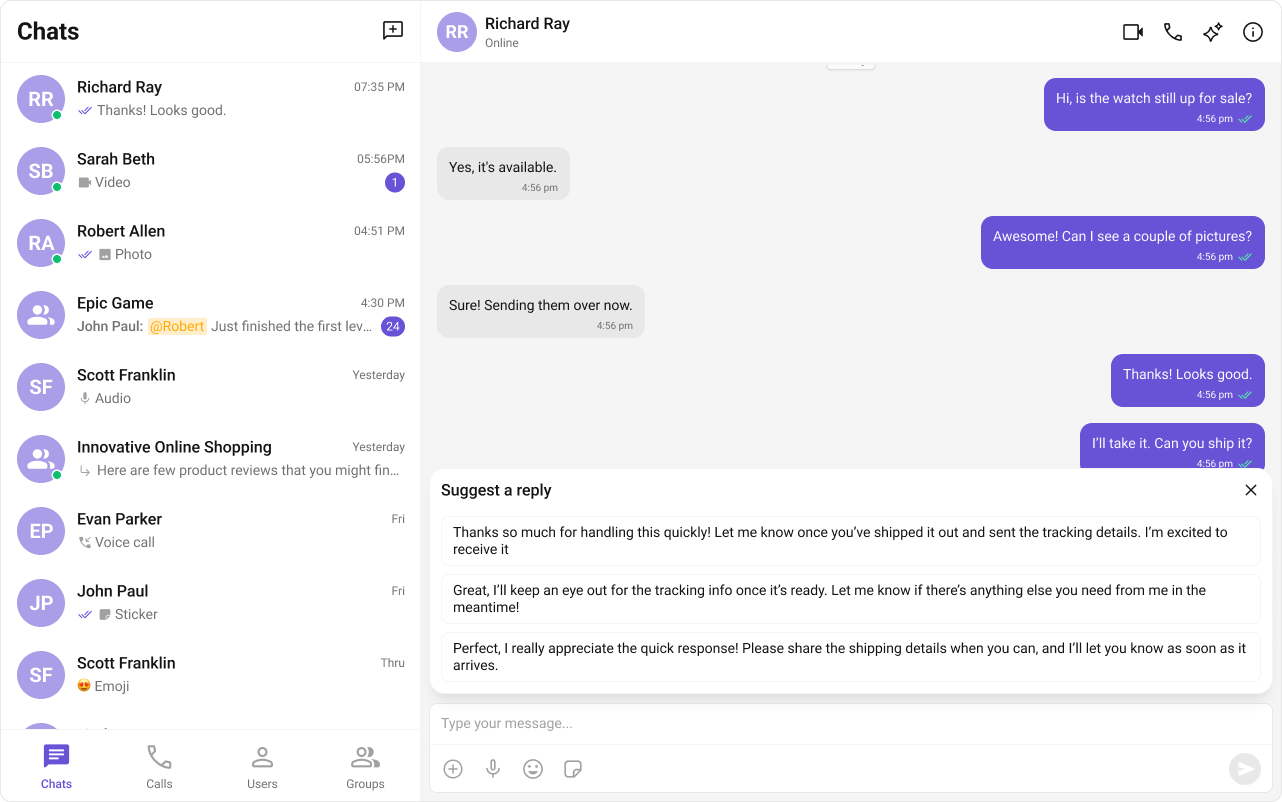
Conversation Summary
The Conversation Summary feature provides concise summaries of long conversations, allowing users to catch up quickly on missed chats. This feature uses natural language processing to determine the main points in a conversation. For a comprehensive understanding and guide on implementing and using the Conversation Summary, refer to our specific guide on the Conversation Summary. Once you have successfully activated the Conversation Summary from your CometChat Dashboard, the feature will automatically be incorporated into the Action sheet of MessageComposer Component of UI Kits.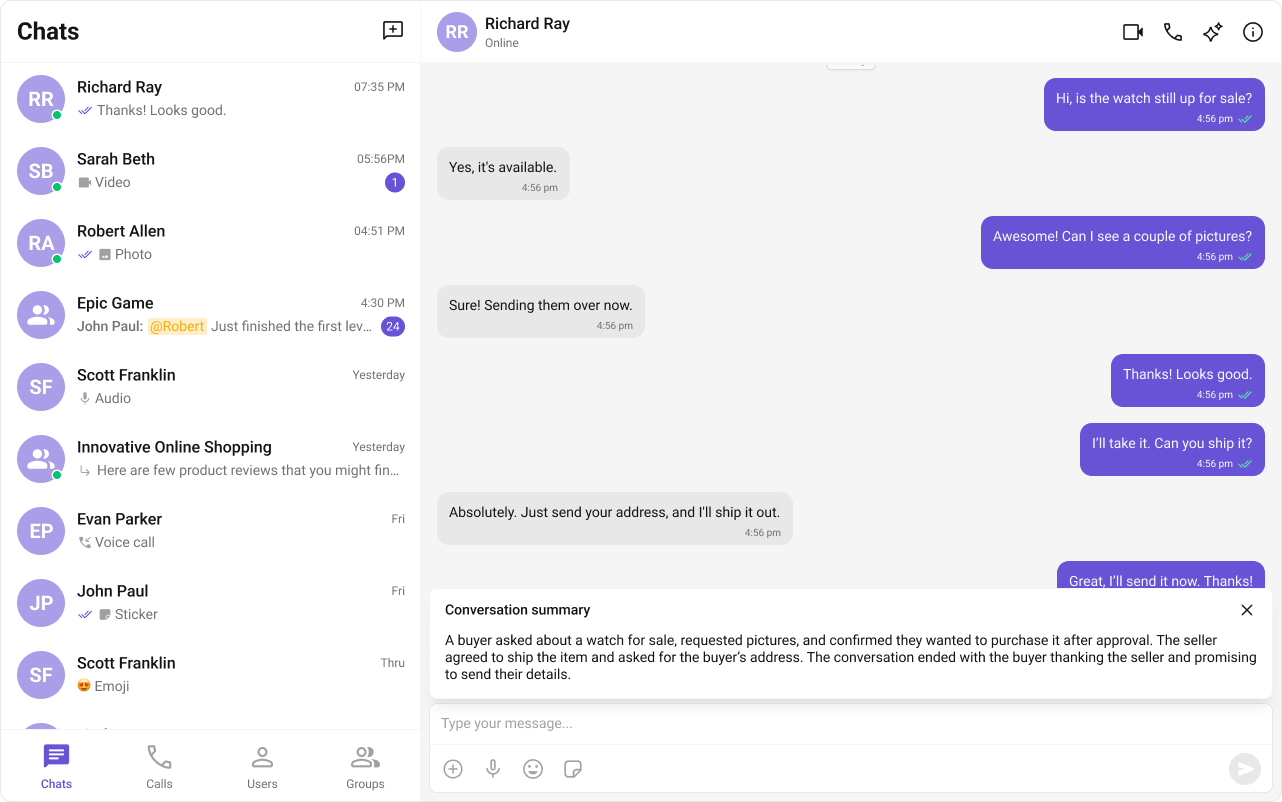
Common Failure Modes
Common Failure Modes
| Symptom | Cause | Fix |
|---|---|---|
| AI features not appearing | Feature not activated in CometChat Dashboard | Enable the specific AI feature from your Dashboard |
| Component doesn’t render | CometChatUIKit.init() not called or not awaited | Ensure init completes before rendering. See Methods |
| Component renders but no AI suggestions | User not logged in | Call CometChatUIKit.login("UID") after init |
| Conversation Starter not showing | Feature not enabled or no conversation context | Ensure Conversation Starter is activated in Dashboard |
| Smart Replies not appearing in composer | Feature not enabled in Dashboard | Ensure Smart Replies is activated in Dashboard |
| SSR hydration error | Component uses browser APIs on server | Wrap in useEffect or dynamic import with ssr: false. See Next.js Integration |